An opinionated look at how I use Fedora COSMIC Atomic
How I combine Fedora's atomic base, COSMIC's keyboard-driven tiling, Flatpak, Homebrew, Mise, and containers into a low-maintenance Linux workstation.
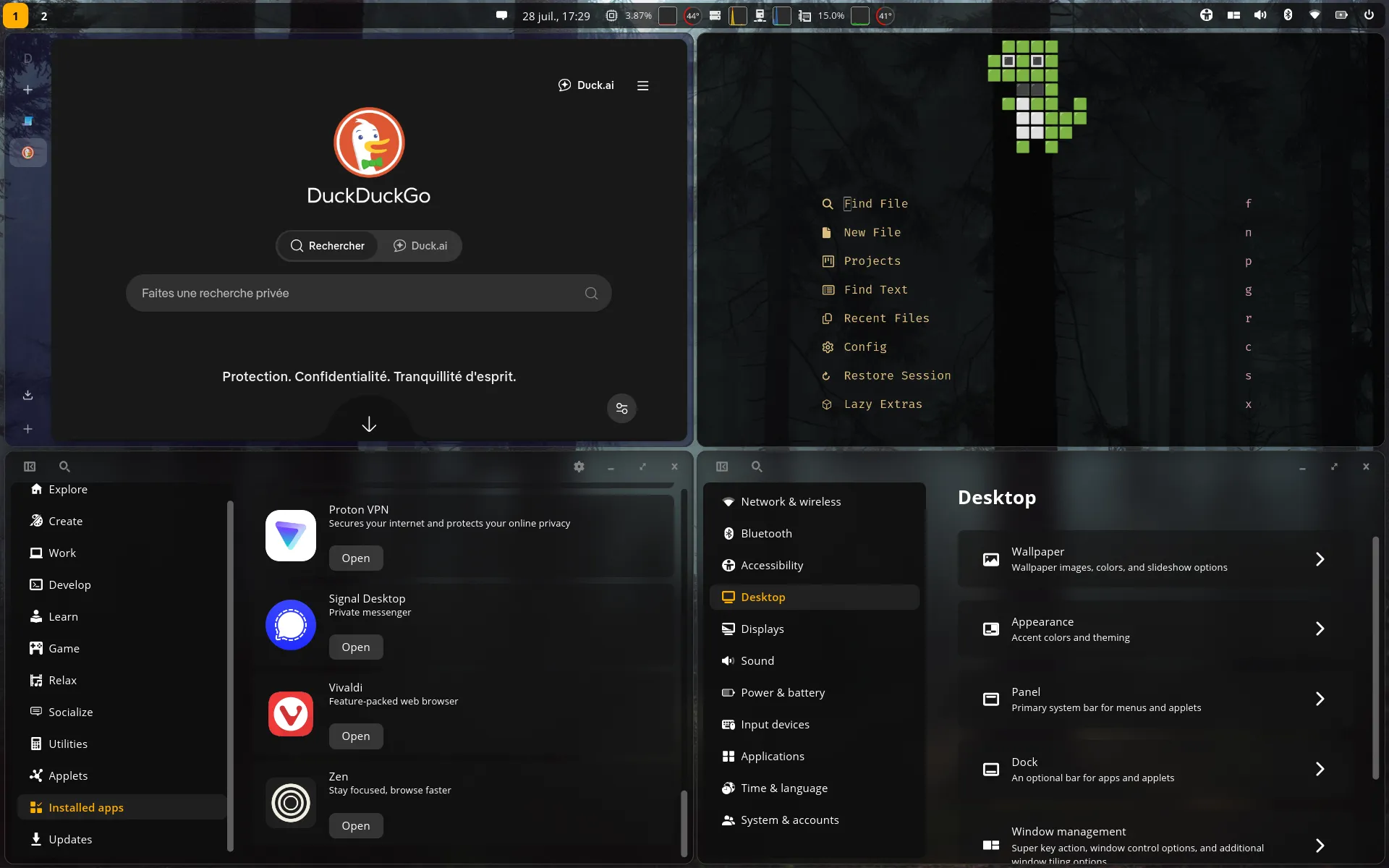
I want a modern and up-to-date operating system, but I do not want its maintenance to become a hobby. On Arch Linux, updates sometimes left me with a black screen or an unbootable system. I enjoyed the control, but not the time it demanded.
I like my OS like my software design and code: boring, predictable, modern, and sustainable.
I am also a heavy keyboard and terminal user. Constantly arranging windows with a mouse does not suit me. Fedora COSMIC Atomic gives me a reliable, image-based Fedora system and a desktop built around automatic tiling.
One Job for Each Tool
The most important part of my setup is not any individual tool. It is the boundary between them:
| Layer | What I Put There |
|---|---|
| Fedora deployment | The kernel, drivers, desktop, system services, and critical host packages |
| Flatpak | Graphical desktop applications |
| Homebrew | Everyday command-line and terminal applications |
| Mise | Language runtimes and project-specific tools |
| Toolbx or Distrobox | Occasional mutable or distribution-specific environments |
This is a guideline rather than a law.
Keeping Fedora Atomic Small
Fedora Atomic updates a deployment instead of changing the system that is currently running. rpm-ostree prepares the next deployment beside the current one, and the machine switches to it after a reboot. If preparation fails, I still have the complete old deployment. If the new deployment causes trouble, I can select the previous one from the bootloader.
This is why I prefer the term atomic to immutable. Fedora made the same distinction: the system is not literally immutable. /usr is normally read-only, but /etc, /var, and my home directory remain writable. I can also layer RPM packages onto the Fedora image.
I used to treat package layering like a conventional package manager. Updates became noticeably slower because rpm-ostree had to resolve my packages and build a derived deployment on every update. It also became harder to tell where Fedora’s image ended and my changes began.
Now I layer only software that must be part of the host or does not work well through the other tools. My current list contains only gcc and libatomic. Everything else has to justify why it belongs in the operating system.
Updates and Upgrades
A routine update is one command:
rpm-ostree upgradeIt prepares the deployment while I continue working. I reboot when convenient. Rolling back is similarly small, although it requires another reboot:
rpm-ostree rollbackUpgrading my machine from Fedora 43 to 44 was also one command and a reboot:
rpm-ostree rebase fedora:fedora/44/x86_64/cosmic-atomicThat is the kind of boring upgrade I want. Fedora does not slowly replace the running system underneath me, and the previous deployment gives me a recovery path if something goes wrong.
A rollback is not a backup. It does not restore /home, application data under /var, or independently updated Flatpaks. It protects the operating-system deployment, not all the data on the machine.
Why Not NixOS?
NixOS provides declarative configuration, reproducible system generations, and rollbacks. But it’s not really my mug of coffee. I do not use it because I do not want my OS to become another codebase that I need to understand and maintain. I prefer Fedora to publish and test the base while I keep my local changes small. I need a boring OS.
COSMIC and Automatic Tiling
COSMIC is a complete desktop developed by System76, not only a tiling compositor. I get panels, notifications, power and display settings, workspaces, keyboard shortcuts, and graphical configuration without assembling those pieces myself.
Automatic tiling is the reason I chose it. New windows arrange themselves instead of overlapping, and I can focus, move, resize, stack, or float them from the keyboard. Tiling is enabled per workspace, so I can leave it off where floating windows make more sense.
Most of my work happens in a borderless Ghostty window with Neovim, alongside a browser that I control with Vimium. These windows fit naturally into predictable regions. Workspaces separate different contexts, while window stacks let related applications share one tiled area as tabs.
COSMIC gives me the part I want from a tiling window manager without requiring me to maintain a separate compositor and collection of desktop components. It is still young and changes quickly, but it already fits the way I use my computer.
Why Not Hyprland?
Hyprland offers more compositor customization than I need. COSMIC already gives me automatic tiling as part of a complete desktop, so I do not want to assemble and maintain the surrounding components myself.
Graphical Applications with Flatpak
Most of my graphical software comes from Flathub, including browsers, editors, LibreOffice, Signal, GIMP, and OBS Studio. I also use the COSMIC remote for some COSMIC applets.
These applications update separately from Fedora, and installing or removing one does not create a new operating-system deployment. Flatpak runtimes also keep their library requirements away from the host base. That separation is more valuable to me than making every application part of Fedora.
I still check an application’s permissions. Flatpak sandboxing is only as restrictive as the access an application receives, and a verified Flathub badge confirms the publisher’s identity rather than guaranteeing that the application is safe.
Command-Line Tools with Homebrew
Homebrew on Linux manages my editors and shells, Git tools, terminal utilities, infrastructure tools, and modern Rust-based commands. They are immediately available in my host shell, which matters because the terminal is my primary interface to the computer.
I could put these tools in Toolbx, but then I would need to enter a container, remember which container owns a command, or export wrappers back to the host. Homebrew gives me a broad and current CLI catalog without modifying /usr or creating an rpm-ostree deployment. Updating a command does not require a reboot.
I keep a Homebrew bundle in my dotfiles so I can restore the same toolset on a fresh installation.
The Trade-Offs
Homebrew has its own update lifecycle, uses additional storage, and has no simple transactional rollback. Third-party taps require trust, and Fedora is not a Tier 1 Homebrew host.
I also put system and local paths before Homebrew in $PATH:
/usr/bin
/usr/local/bin
/usr/local/sbin
/home/akhansari/.local/share/mise/shims
/home/linuxbrew/.linuxbrew/sbin
/home/linuxbrew/.linuxbrew/bin
/home/akhansari/.cargo/bin
/home/akhansari/.local/bin
That order is intentional. System and locally installed commands win when they overlap with Homebrew, while Mise-managed versions take precedence over Homebrew.
Development Tools with Mise
I use Mise for language runtimes and tools whose versions belong to a project. This keeps project-specific development dependencies out of both the Fedora deployment and my general Homebrew toolset.
Toolbx and Distrobox for Exceptions
Toolbx gives me a mutable Fedora environment with a conventional package manager. Distrobox covers cases where I need another distribution’s userland. I keep both available for troubleshooting, experiments, and disposable environments, but I do not use either as the default home for everyday commands.
Their close host integration is convenient, but it also means they are not security sandboxes. They can access my home directory and other shared host resources. Rootless Podman prevents container root from automatically becoming host root, but it cannot protect files that I deliberately share with a container.
Conclusion
My normal maintenance routine is simple: Flatpak handles graphical applications, Homebrew handles everyday commands, Mise selects development tools, and rpm-ostree prepares Fedora updates for the next reboot. Containers remain available when I need something outside those boundaries.
For me, the best operating system is the one I can mostly forget is there.