From Wrist Pain to Productivity
My journey with ortholinear split keyboard, Linux, tiling WM, and NeoVim.

For a long time, my hardware setup consisted of a standard keyboard and mouse, and I had gotten used to working with Windows, either because it was required for my job or because of my work with .NET development. On the other hand, at home, I usually used a Linux desktop. I was happy with both worlds and never questioned this setup. However, due to remote work over the past few years, I no longer have a PC at home and just use an Android tablet when needed.
The Problem
At some point, I started experiencing soreness in my wrist, to the extent that I sometimes had trouble sleeping. My first step was a quick Google search, which led me to buy a vertical mouse. It helped ease the pain but it was still there. So this time I turned to message boards and YouTube reviews, and after some hesitation, I finally decided to take the plunge and buy a TypeMatrix keyboard.
The Ortholinear Keyboard
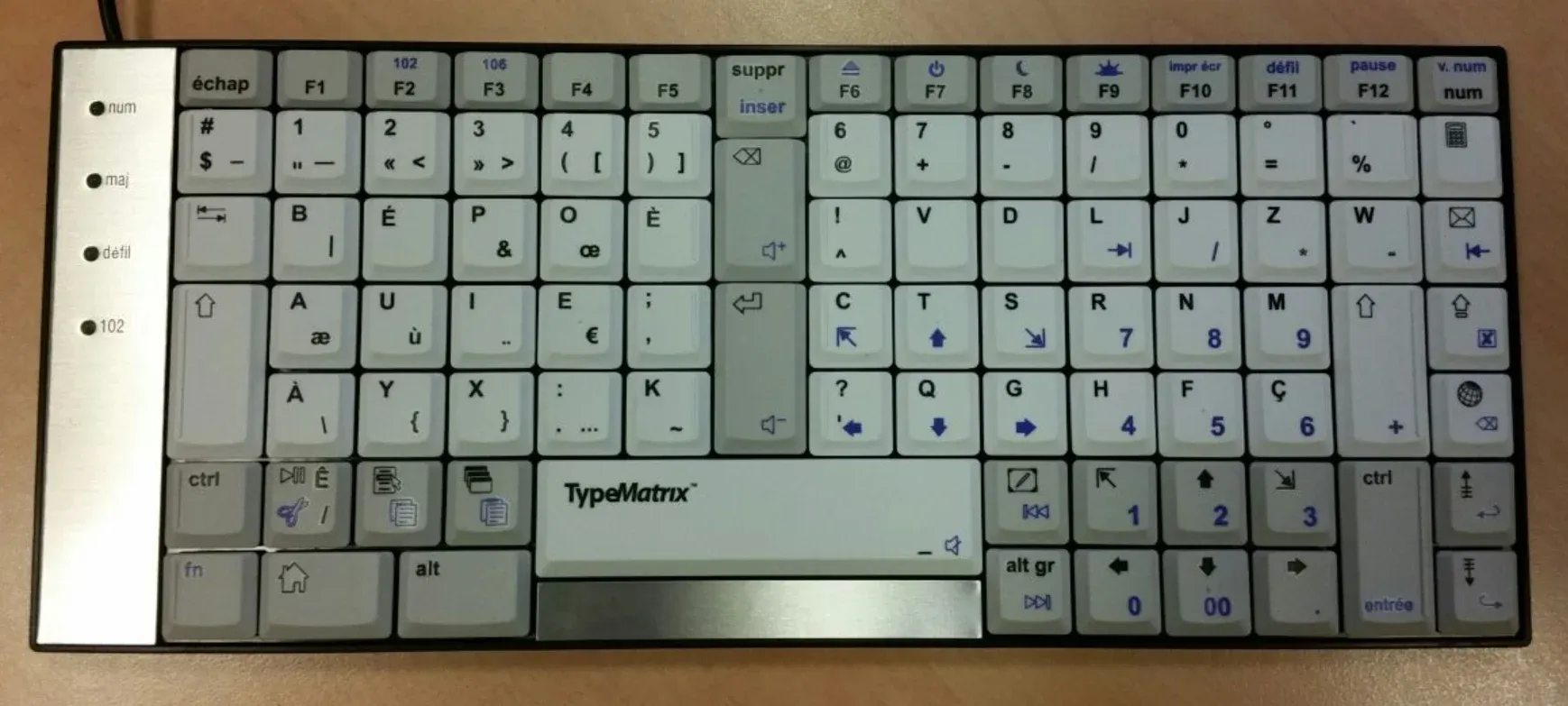
Choosing an ortholinear keyboard was one of my best decisions. It features a unique design where the keys are arranged in a grid-like pattern, with the rows and columns aligned vertically and horizontally. This arrangement offers two main advantages:
- It reduces finger travel and improves hand positioning.
- It provides a minimalist aesthetic and a more compact design.
As a result, the wrist experiences less stress and, with practice, doesn’t move at all. Only the fingers make slight vertical movements.
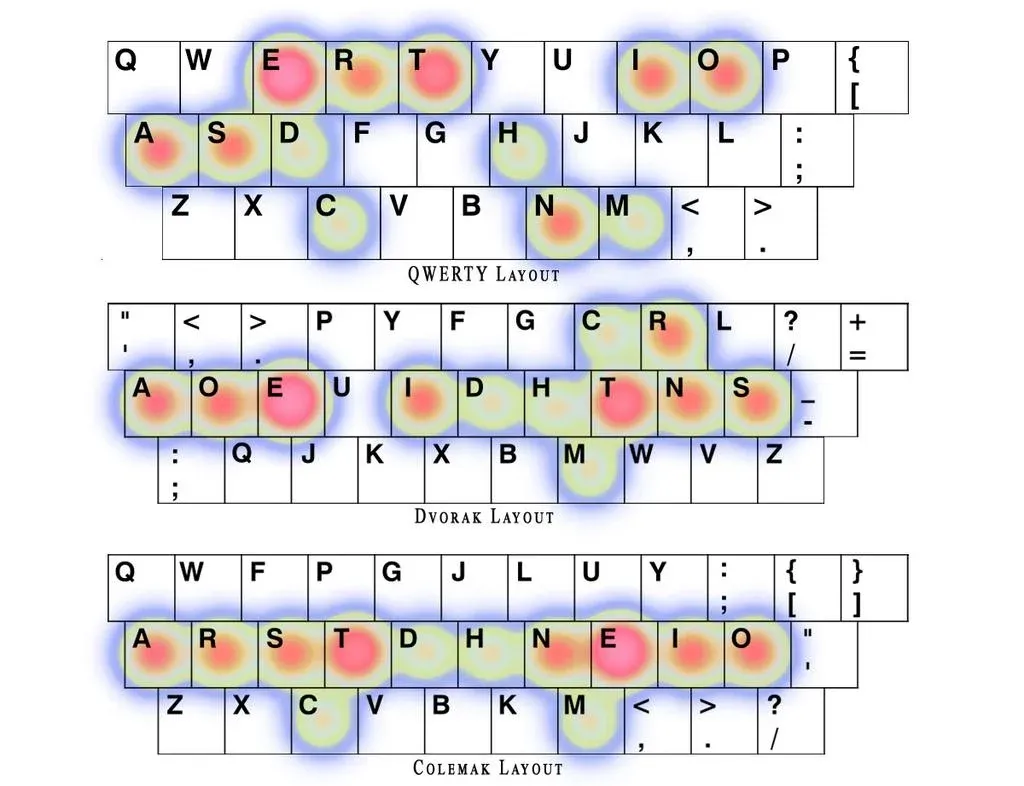
The other thing I told myself was to switch to ortholinear and BÉPO (French version of Colemak) layout at the same time. That way, I’d only have to make the effort of learning once, especially since it further reduces finger movement. Why stick with an outdated, illogical layout anyway?
As you can see, the middle row is the most used in modern layouts:
What surprised me the most was my ability to effortlessly switch between ortholinear BÉPO and staggered QWERTY keyboards. My theory is that the two layouts are so distinct that the brain instinctively adapts to the switch.
The Split Keyboard
Unfortunately, even with all these efforts, the wrist pain slightly returned after three years. I realized I needed to do more, but at least I understood the underlying issues:
- My hands traveled too much between the keyboard and the mouse.
- The Shift, Control, and Alt combinations for shortcuts felt unnatural and illogical.
- The TypeMatrix keyboard forced me to keep my hands too close together, which is not a natural position.
It was time to buy a split keyboard, and to switch to NeoVim while I was at it!
I opted finally for the excellent Dygma Defy after trying the Moonlander.
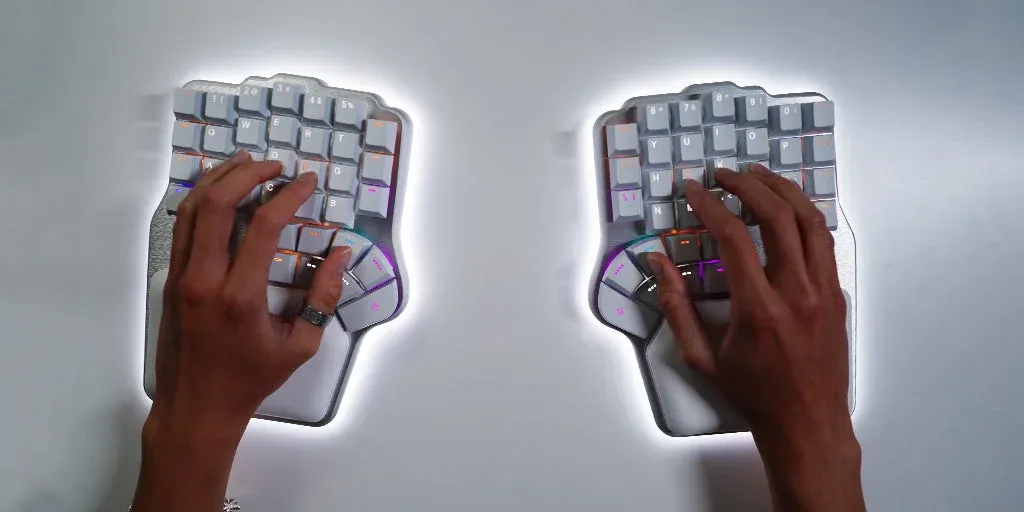
What a joy! It took me some time to find a layout that suited my habits, but I eventually settled on a custom BÉPO layout with two layers. I still tweak it occasionally to optimize further.
With split ortholinear keyboards and modern layouts, finger and wrist movements are minimized, and there’s no longer a need to look at the keyboard when typing.
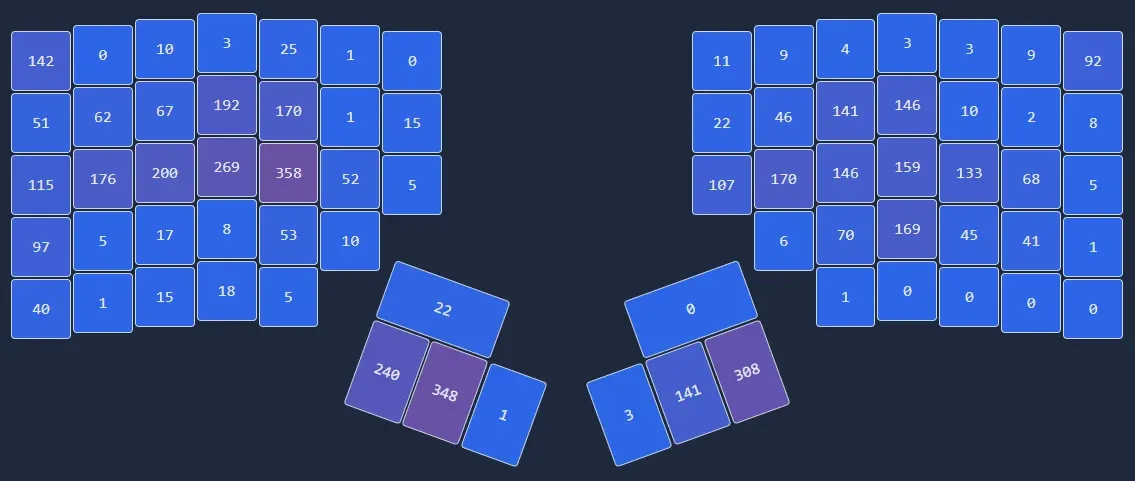
Here is the heatmap from my old Moonlander, after a few minutes of coding:
Learning NeoVim
Now it was time to learn NeoVim. Interestingly enough, I think I spent far more time configuring Vim bindings than actually learning Vim itself. In reality, Vim is surprisingly easy to pick up, especially with the help of the Which-Key plugin already included in the LazyVim distribution. Everything about it feels natural and logical, particularly the Vim Motions. However, configuring bindings is an entirely different story, it’s such a tedious process!
NeoVim allows us to stay fully focused on code.
Since I use a completely different layout than QWERTY, I never found the classic h, j, k, l keys convenient. In the past, this was one of the main reasons I hesitated to switch to Vim (along with the lack of LSPs). This time, as a gamer, I decided to take the opportunity to configure classic gaming-style arrow keys for the left hand, and as a result, to reconfigure to u, i, p, e. You can find my dotfiles on my GitHub.
Switching to Linux
After several months of using NeoVim on Windows, I began to feel increasingly limited. The main reason is that the user experience in Windows is shaped top-down by Microsoft’s vision and roadmap, whereas Linux provides a bottom-up experience shaped by users themselves, thanks to tools and contributions from the community. The second reason is that Windows is heavily GUI-centric, while Linux is CLI/TUI-centric, which is far better suited for developers, especially with the rise of the new Rust CLI tools ecosystem.
Linux is distraction-free by design.
I did some research and ultimately chose Cosmic Desktop. It’s the only desktop I found that has a great tiling window manager without hassle. Fedora Cosmic Atomic is the perfect match as a Linux distribution. Immutable systems are secure and require low maintenance.
The advantage of Fedora Atomic Desktops over NixOS is that I wanted an OS that I could completely forget about its existence without having to sacrifice keeping it always up to date.
Vimium also lets me browse without needing the mouse at all. Finally, the only application that still forces me to use the mouse is… Slack or other messaging applications!
I usually launch Ghostty without borders, and start coding or doing other tasks. I would love to never have to leave my terminal and start clicking around…
Conclusion
I no longer have wrist pain, and in the process, I’ve become more productive.
What more could anyone ask for!